
Download Contact Alerts – Skype Notification Manager for Mac
Overview
Contact Alerts is a dedicated macOS utility created by Eccentric Apps Ltd. that enhances the way Skype users stay informed about incoming calls, messages, and status changes. Positioned in the Lifestyle category, this full‑version program replaces the native Skype notification system with a highly customizable, secure, and visually appealing alert mechanism. Designed for English‑speaking users, Contact Alerts runs natively on macOS, delivering real‑time pop‑ups, sound cues, and actionable buttons without interrupting your workflow. Whether you’re a remote professional juggling multiple conversations, a gamer coordinating voice chat, or simply a social butterfly who never wants to miss a message, Contact Alerts offers a lightweight yet powerful solution that keeps you connected while preserving your desktop’s clean aesthetic.
The app is built on modern macOS frameworks, ensuring compatibility with the latest operating system releases and providing a seamless integration with the system’s Notification Center. Its user‑friendly interface makes setup a breeze, while advanced users can dive deep into scripting options and custom triggers. The program is a paid, full‑version offering—there is no freemium or trial limitation—so you receive an ad‑free experience with ongoing updates and priority support from the developer.
In addition to standard alerts, Contact Alerts introduces a set of unique features such as “Do Not Disturb” scheduling, per‑contact alert tones, and a visual badge system that can be placed on the Dock icon. These capabilities make it a must‑have tool for anyone who relies heavily on Skype for daily communication on a Mac.
Key Features & Benefits
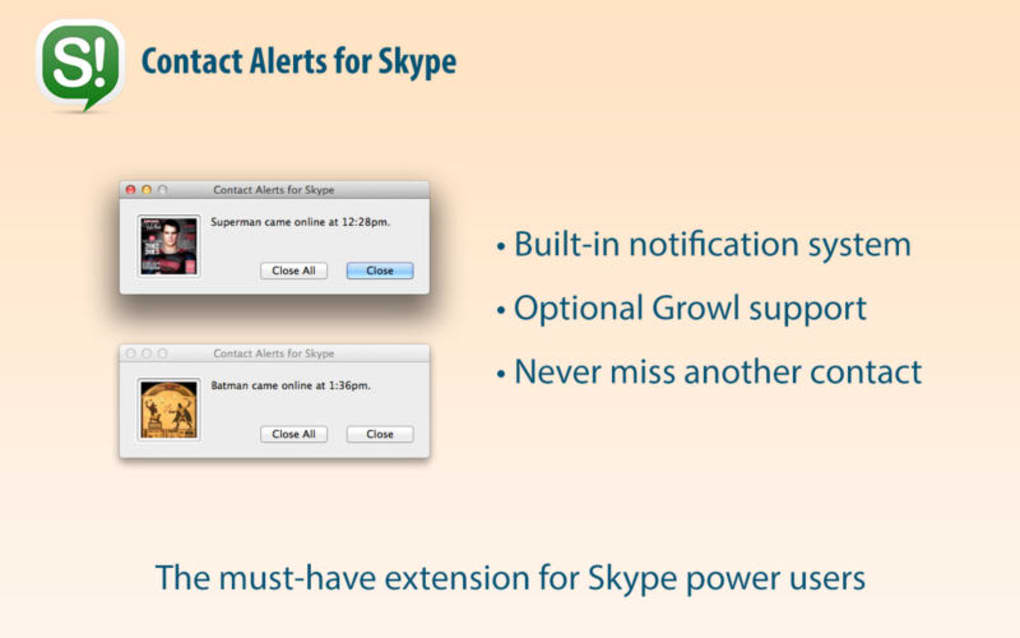
- Instant Pop‑Up Alerts: Real‑time desktop notifications appear the moment a Skype contact calls, messages, or changes status.
- Customizable Sound Profiles: Assign unique alert tones per contact or group, ensuring you recognize who’s reaching out without looking at the screen.
- Do Not Disturb Scheduling: Set quiet hours or specific days when alerts are muted, perfect for meetings or focused work sessions.
- Dock Badge Integration: A subtle badge shows the number of unread messages or missed calls directly on the Skype Dock icon.
- Actionable Buttons: Reply, accept, or decline calls straight from the notification, reducing the need to switch windows.
- Secure & Private: All data stays local on your Mac; no cloud syncing or external servers are involved.
- Auto‑Update Mechanism: The app checks for updates securely, ensuring you always have the latest bug fixes and feature enhancements.
- Lightweight Footprint: Consumes minimal CPU and RAM, preserving battery life on MacBooks.
- Multi‑Language Support (Future Roadmap): While the current version is English‑only, the developer has indicated plans for additional languages.
- Compatibility with macOS Big Sur and later: Optimized for Apple Silicon and Intel Macs alike.
Beyond the listed capabilities, Contact Alerts improves overall productivity by reducing the time spent searching for missed communications. Its flexible configuration panel lets you tailor alerts to match personal preferences, whether you prefer subtle visual cues or loud auditory signals. The app also respects macOS privacy standards, asking for permission before accessing contacts or notification data. By centralizing Skype alerts into a single, controllable interface, users experience less distraction, better focus, and a smoother workflow across personal and professional environments.
For power users, the utility provides a scripting console where custom AppleScript or shell commands can be attached to specific events, opening the door to automated actions like logging calls to a spreadsheet or triggering a smart‑home routine. This extensibility makes Contact Alerts not just a notification tool but a versatile automation hub for macOS power users.
Installation, Usage & Compatibility
Step‑by‑Step Installation
- Visit the official Eccentric Apps Ltd. website and click the Download Contact Alerts button. The download is a secure, signed .dmg file.
- Once the .dmg file is saved, double‑click it to mount the installer volume.
- Drag the Contact Alerts icon into the
/Applicationsfolder. macOS may ask for administrator permission; enter your password to proceed. - Open the
Contact Alerts.appfrom the Applications folder. The first launch will prompt you to grant access to your Contacts and to allow notifications. Click “Allow” for each request. - After granting permissions, the app will automatically detect the installed Skype client and begin syncing contact information.
Getting Started with the Interface
Upon launching, you’ll be greeted by a clean dashboard featuring three primary tabs: Alerts, Sounds, and Preferences. The Alerts tab displays a real‑time list of recent notifications and lets you toggle visibility per contact. In the Sounds tab, you can upload custom audio files or select from the built‑in library. The Preferences panel holds global settings such as Do Not Disturb schedules, badge display options, and update behavior.
To create a per‑contact rule, locate the contact in the Alerts list, click the gear icon, and choose “Edit Notification Settings.” Here you can set a unique tone, enable or disable pop‑ups, and assign a priority level that determines how the alert appears (banner vs. alert). Once configured, changes take effect instantly—no restart required.
Compatibility (itemprop="operatingSystem")
Contact Alerts is designed exclusively for macOS. It supports the following operating system versions:
- macOS 11 (Big Sur) and later
- Apple Silicon (M1, M2, and newer) – native ARM64 binary
- Intel‑based Macs – Rosetta 2 is not required, native x86_64 binary provided
While the tool focuses on Skype for macOS, it does not currently support Windows, Android, or iOS platforms. The developer has hinted at potential cross‑platform expansions, but as of now the official release remains a macOS‑only application.
System requirements are modest: at least 200 MB of free disk space, 50 MB of RAM usage during idle operation, and a working internet connection for license verification and updates. The app is signed by Apple, ensuring a secure download experience and smooth installation on any modern Mac.
Pros, Cons & Frequently Asked Questions
Pros
- Highly customizable alerts per contact.
- Lightweight, low‑impact on system resources.
- Secure, with all data stored locally.
- Seamless integration with macOS Notification Center.
- Actionable buttons reduce context switching.
- Regular auto‑updates keep the app current.
Cons
- Only available for macOS; no Windows or mobile versions.
- Paid full‑version—no free trial or freemium tier.
- Limited language support (English only at launch).
- Requires Skype to be installed; does not work with other communication apps.
FAQ (itemscope itemtype="https://schema.org/FAQPage")
Do I need a Skype account to use Contact Alerts?
Yes. Contact Alerts works by reading your Skype contact list and activity, so a valid Skype account is required.
Is Contact Alerts compatible with Apple Silicon Macs?
Absolutely. The application includes a native ARM64 binary, delivering optimal performance on M1, M2, and newer chips.
Can I set different alert tones for each contact?
Yes. In the contact‑specific settings you can assign a unique sound file or choose from the built‑in library for each individual.
How does the app handle privacy and data security?
All data stays on your Mac. Contact Alerts never uploads contact information or notification logs to external servers. Permissions are requested only for local access to Contacts and Notifications.
What is the licensing model and price?
Contact Alerts is sold as a one‑time purchase for $19.99 USD. The price includes lifetime updates and priority email support.
Can I use Contact Alerts with other communication apps like Zoom or Teams?
Currently, the app is built specifically for Skype. The developer may add support for additional platforms in future updates, but it is not available today.
Conclusion & Call to Action
Contact Alerts delivers a polished, secure, and highly configurable notification experience for macOS users who rely on Skype for personal or professional communication. Its lightweight design ensures that you stay informed without sacrificing system performance, while the range of customization options empowers you to tailor alerts to match your workflow. Although the lack of a free trial and the macOS‑only restriction might deter some users, the one‑time price offers excellent value when you consider the productivity gains and the peace of mind that comes from local data handling.
If you’re ready to upgrade your Skype experience on a Mac, download Contact Alerts today and enjoy instant, actionable alerts that keep you connected without interruption. Click the button below to purchase, download, and start customizing your notifications within minutes.
Expert Review: Contact Alerts for Mac
Contact Alerts stands out as a focused, well‑engineered tool that fills a niche many Skype users have long missed on macOS. The app’s strengths lie in its deep customization, low resource usage, and adherence to privacy best practices. While it would benefit from a broader platform reach and multilingual support, the current feature set justifies its price tag and makes it a worthy addition to any Mac user’s productivity toolkit.
- Pros: Custom tones, actionable pop‑ups, Do Not Disturb scheduling, native macOS integration.
- Cons: macOS‑only, paid with no trial, English‑only.







